Thursday, October 17, 2024

POWRR Digital Preservation Institute - Day 1

Reporting live from a Digital Preservation Institute hosted by POWRR (Preserving Digital Objects With Restricted Resources) to share what I've learned on my first day! I'm here in Honolulu, at the University of Hawai'i, Mānoa, as a representative for T.A.P.E., generously funded by the National Institute for the Humanities.

I learned about Digital POWRR when researching digital preservation tools for home movies as part of my MLIS coursework. I was inspired by their grounded, material plans and tools and how they were committed to education. Earlier this year, I applied to attend one of their institutes and was delighted to not only be accepted but to receive financial support that could cover my travel and lodging. 


In my education, I've wanted more from digital preservation - more practical plans, open-source tools, and support, particularly for personal archiving and orgs with limited resources. Digital preservation can be daunting, frustrating, and endless, but after today, I feel much more connected to the material ways to empower myself and T.A.P.E.

Introduction to Digital Preservation

We started by defining some key terms, namely what is digital preservation?

I like the idea that it is the relationship between yesterday, today, and tomorrow with a digital object, whereby we can accurately store, provide access to, and sustainability check the fixity of a digital file over time. We want to create a system and process to hand off the digital file to future, so they can transform into the next sustainable container, with the best information and tools to do so. 

Digital preservation is also a risk mitigation process, thinking about how to prevent the total loss of a digital object as the result of media or file format obsolescence, disaster, failure, or decay. 

having fun with my new toy digital camera!


Some best practices? 

1. Important and overlooked - know what you have! An inventory of the items and their formats and where they are stored is such an impactful step. 

2. Keep more than one copy across different storage mediums

3. Have a plan for migration and storage media transfers

4. Use open formats that are more resilient against obsolescence and corporate enclosure i.e. a PDF is open whereas a Microsoft Word document is owned by a company and requires paid software to properly decode it

5. Use data fixity tools and practices

Fixity is ensuring that the item you have is actually the item you had and want to have. That it is the same as before. This is clearly important because you don't want your file to change, as one bit of changing can dramatically alter or corrupt the content, especially for visual information.  


Fascinating & scary slide - script created by the instructor that would change one bit in a digital photo, showing the visual results from significant changes to complete corruption. 

We use checksums to mathematically process this. A checksum is a string of numbers and letters that corresponds to a snapshot of your file, ideally as you create it or before you move it. If your file changes, the string of numbers and letters changes too, alerting you that something has changed. An ~okay~ analogy is like taping a piece of hair over a door as a security system - if the hair breaks, you know something happened, but you don't know what it is exactly. But you can look around the room and replace anything that was lost. At TAPE we run frameMD5s, a checksum part of the digitization tool vrecord, that assigns a string of letters and numbers to each frame of a video, allowing us to know the exact frame where the change ocurred, rather than only having a checksum for the file.

Notice how each iteration with an incorrect spelling changes the checksum, alterting us that something has changed

Assessment

The next presentation was on tools, rubrics, and processes for assessing your organization's digital preservation practices. This is a great tool for figuring out what you do well and some tangible steps for getting to the place you want to be. We also talked about how to adapt some of these frameworks to decouple corporate productivity from our work, instead building sustaining models rooted in the value of preservation. We looked at two assessments in depth, although we recieved a long list of options! The key is to pick one and start, and any work is meaningful. 

The National Digital Stewardship Alliance created the Levels of Digital Preservation Assessment to provide multiple axes for conversation and action. 


We also looked at the Digital Preservation Coalition's Rapid Assessment Model. 

There were a couple of things I'm excited to talk more about with T.A.P.E. members:

  • Our first priority is to secure funding for more copies of our digitized files and to create a plan for migrating these files using digital fixity tools. 
  • A big inventory of our digital files is needed & coming soon, as well as a plan for regular inventories and audits
  • I'm also excited to write documentation on the types of formats we have and an assessment of the hardware and software needed to sustain the files we create. 
  • I'm more urgent about tapping into networks of watchdogs who look out for file, hardware, and software obsolescence related to our work, including proactive planning and collaboration. (I'm cynical about these things for sure!)
  • We are invested in the preservation of TAPE-produced content (print, still photo, and moving image) to preserve our own work, on our own terms. 
  • We also talked about resource sharing and building powerful constoriums and relationships to pool resources for digital preservation

A big takeaway, there are very few tools for personal archiving, bringing things down to the individual, the family, kin and friend networks. Building relationships with artists who work with us to empower their preservation through knowledge and resource sharing is key. Not only in making the best practices accessible broadly, but in sustained plans for implementing them over time. A great starting point for T.A.P.E. is a new resource I learned about a personal archiving guide and worksheet from the State Library of North Carolina. We are going to build on these tools to create zines and information on personal digital archiving as part of the archival practices people are already doing. 

I'm delighted to expand upon this work, opening tools, knowledge, and workshops for personal digital preservation. Empowering ourselves and each other in caring for the materials that matter most to our lives!

Digital Preservation Policies

In the next session, we narrowed in on writing a digital preservation policy, using existing models and templates. This written policy facilitates greater clarity, awareness, and committment to digital preservation goals, ensuring that the things we create today have a pathway for access tomorrow. A policy promotes digital preservation as part of a living ecosystem of creating and saving, so that it sits alosngside other conversations we are having, it has a seat at the table. It outlines goals, committments, and current actions. 

One exciting digital preservation policy I looked at was from the Door County Public Library, which does a great job at defining purpose and methods of preservation. The Wisconsin Historical Society also hosts a number of student-made digital preservation policies with smaller organizations, as well as other digital preservation guides. The College of Menominee Nation has an excellent policy that not only demonstrates clear commitments, but also outlines their workflows, increasing transparency and knowledge sharing.

The College of Menominee Nation's Digital Preservation Policy

We also examined some templates that we can use to write our policies, including the Digital Preservation Policy ToolkitDigital Preservation Step by Step, and the Sustainable Heritage Document


A clear goal for TAPE is to start writing this policy as we are writing our collections policy and boosting documentation in our AV League, as it will facilitate greater goal setting and tangible action. And when we make our policy accessible online, we aim to help others in the care of materials by reducing knowledge barriers that occlude a sense of empowered and informed action. 

A New Working Group?

One of the most empowering takeaways is the knowledge that as a collective, there is a group of passionate and smart TAPE members who are similarly invested in this work. Whereas many archives must confront buracracy and co-workers who may not support their passion, I know I have so much support and power from my peers. It's a really empowering feeling, inspiring action rather than defeat in the face of so many steps that need to happen. I'm delighted to work collectively to move forward with these much needed tools!

From this, I'm laying the groundwork for Digital Preservation Working Group, a sub-committee of the AV Working Group and Collections, to collaborate on the policy writing and assessment process, as well as grant-writing, zine making, and public workshops. This is an exciting new chapter!


T.A.P.E. is a 501(c) 3 non-profit dedicated to facilitating access to analog media making, preservation, and exhibition. To support our work and access great benefits, join our patreon at just $5/month. You'll get access to exclusive rates for our rental equipment library, access to our digital and physical videotape library, and other member benefits like free workshops. 

We've launched a $6,000 goal for GoFundMe to buy essential digitization equipment to provide more archival transfer services for more tape formats. A donation will advance the work of people-oriented digitization services!

info@tapeanalog.org

Blog is written by Jackie Forsyte, T.A.P.E.'s Technical Director, and an audio-visual archivist.

Sunday, October 6, 2024

CAT-A-THON: Collective Cataloging Day

On Sunday, T.A.P.E.'s Collections Working group organized a collective cataloging day in an effort to bring together the catalogs that T.A.P.E. volunteers have been working on for the past year. So on Sunday we compiled separtate catalogs into a giant spreadsheet, labeled each tape with a barcode, and affixed a status label so we'd be able to track the status of our work. 

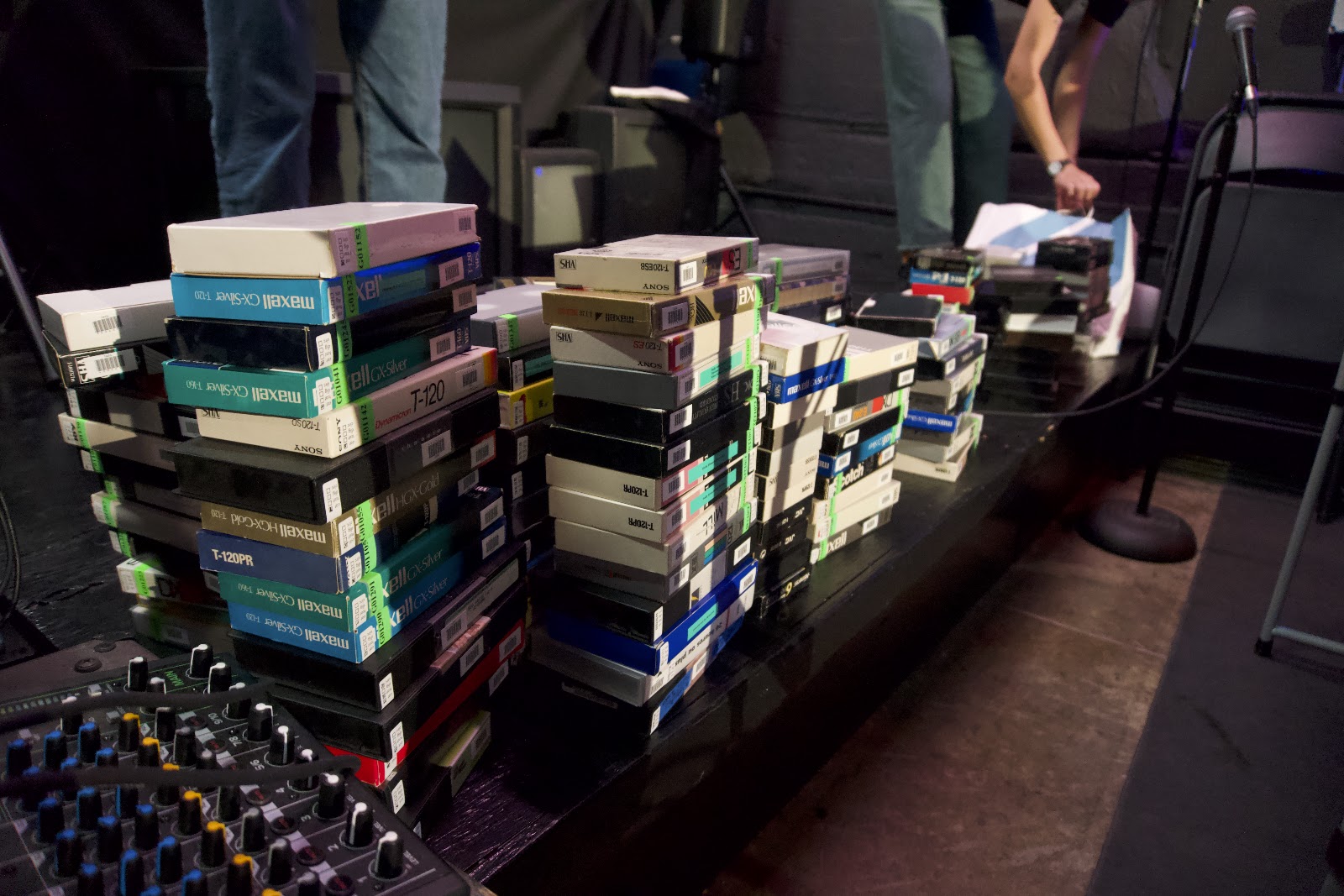
In two short hours, we affixed barcodes, transcribed existing barcode numbers, and affixed status stickers for 218 tapes.

Earlier this month, the T.A.P.E. Collections Working Group met to establish a plan. One of the biggest needs we identified was to organize a collective day to get tapes in our collection barcoded & ready for access. Internally, we have spreadsheets with rich metadata about our collection, and we needed to refine and combine them into something that we can easily import into our circulation library interface, Tiny Cat. The goal is for our collection to be of great artistic and entertainment use, and to extend access to rare and important material on VHS through physical and digital circulation. We have an archive in use, a collection in motion.

The first step in our collections access project was combining all of the disparate spreadsheets into one unified page. Done by T.A.P.E. volunteer and Collections lead Russell, the unified spreadsheet is a springboard for concatenating all of our collections. The reason we have separate spreadsheets is because the provenance (origin) of the tapes is different - some come from the Echo Park Film Center, the Iota Center via the Museum of Jurassic Technology, others from private collectors such as Viva Video (major video distributor in the Philippines) or even fished from the trash!

Summary powerpoint ft. cats by Franny, review of cataloging efforts led by Franny and Alohie

The next step was to assign each tape a unique identifier (UID), *usually* a string of numbers that corresponds directly to a singular physical or digital item. If you have two VHS copies of Meshes of the Afternoon (1943), one would have a UID of 00012, while the other may have been brought into the collection later and is 00300. The UID helps us distinguish between the two copies that may be similar or even identical. A UID also assists in digitization, as we can understand the intellectual link between a physical VHS tape and its digital file in the form of an MKV preservation file or an MP4 access copy. Lastly, as we gear up to rent the physical tapes in our collection, we will use the UID as a tracking system for checking items out and returning them. 

Our UIDs come as a barcode from TinyCat, our library system. A barcode is a UPC (Universal Product Code) that turns numbers into a scannable symbol. That way, we can read the UID with our eyes, but it can also be read by our extremely adorable cat-shaped barcode scanner, providing multiple modes of access into the catalog. Barcodes are not infallible - because they are on paper, the barcode is subject to damage, so multiple checks of barcodes and cataloging is critical. In fact, there are profound parallels between digital videotape (like MiniDV) and barcodes as they are both digital information encoded on physical mediums vulnerable to damage and decay.

In the collections committee, we wanted to make the collective cataloging process easier and more accessible to new volunteers. A large part of that was creating a physical label that would indicate the status of the individual tape - whether it had been cataloged, digitized, its digital record imported into TinyCat, or if the tape was good for circulation. Collections Committee Admin Lee created stickers which allow us to easily visually identify the status of each tape. The new sticker allows for greater unity in our cataloging work across many people and long periods of time. 

We also performed metadata cleanup. For tapes not cataloged, we quickly added them to the spreadsheet. Using Open Refine, we identified duplicate entries in our cataloging to remedy errors. We will continue this work of metadata clean up so ensure the best and most consistent records for internal and circulation use!  

Past volunteers have diligently worked to catalog tapes in the T.A.P.E. Collection for the past eight months. This has included manually transcribing the written descriptions on the tape and its case, which often includes rich descriptive text. Much of this work we've done in other languages, including Russian, German, Spanish, Tagalog, and more. Volunteers have also identified the format, brand, and recording mode - technical metadata that is critical for digitization. And we have also initiated a robust collections assessment to identify items in our collection that are neither circulating on physical media nor online. For tapes that are highly rare, we are beginning a process of duplication, so a non-circulating preservation tape can live with T.A.P.E., and patrons can still watch the content on a physical or digital access copy. We have also begun a process of de-accessioning, a term that means taking things that do not apply to our collection scope out of our collection. We've de-accessioned tapes for content that is freely available online to make room for future collections in urgent need of preservation. This collective effort has occurred at desk shifts at T.A.P.E. through the passion, knowledge, and skill of dozens and dozens of T.A.P.E. volunteers. 

Collective cataloging days are a remarkable process that we aim to continue. It allows us to create and refine our standards collectively, in conversation with each other. We also get to prevent the problems associated with backlogs, particularly loss of institutional memory about the collections. Our first cataloging day in March, 2024 allowed us to get a massive jump start on cataloging hundreds of tapes in our collection. 

The idea is a springboard from Sydney Kysar, whose work with collective cataloging has served as an empowering model. Syd organized a collective cataloging day with the Bob Baker Marionette Theater where they also volunteer, and led the cataloging of 500 books in their library in one day. Further, they've organized collective cataloging days with Access Books, who collaborate with school librarians to vital services that enliven school libraries, including refreshed book donations and murals (Syd is the lead mural program coordinator). After learning that school librarians work for 2-3 years to catalog their entire library, Syd organized collective cataloging days where volunteers cataloged those same books in 2-3 days. It's radical work and we are delighted to have Syd contributing to our efforts!


Our next steps in our project include

  • Drafting a collection policy on what we do & do not collection
  • Writing a collection overview document which outlines the source of our collection
  • Creating genre labels for easier identification for library circulation
  • Performing a digital audit of our hard drives
  • Uploading catalog records to TinyCat
  • Creating a preservation plan & catalog for T.A.P.E. produced items
  • Improving workflows & documentation
All of these projects are collectively driven, for ourselves, by ourselves. Our goal is to create a sustained collection that can circulate and provide artistic, entertainment, or research use. Rich metadata, no backlog!

We are SO EXCITED to keep launching additions to the Tiny Cat library for you all to explore, including renting physical tapes & viewing our digitized files. Check out our Tiny Cat Library and explore our collection here!

T.A.P.E. is a 501(c) 3 non-profit dedicated to facilitating access to analog media making, preservation, and exhibition. To support our work and access great benefits, join our patreon at just $5/month. You'll get access to exclusive rates for our rental equipment library, access to our digital and physical videotape library, and other member benefits like free workshops. 

We've launched a $6,000 goal for GoFundMe to buy essential digitization equipment to provide more archival transfer services for more tape formats. A donation will advance the work of people-oriented digitization services!

info@tapeanalog.org

Blog is written by Jackie Forsyte, T.A.P.E.'s Technical Director, and an audio-visual archivist.

Wednesday, October 2, 2024

TBC 101!

Donate today to T.A.P.E. and you'll help us dramatically expand access to digitization equipment. Preservation for the people is within reach! 

When I first entered the preservation world, one of the most intimidating yet magical words thrown around was "TBC." And it's taken me a minute to figure out what it is, what it does, and how to explain it to people. That's because explanations are often brief & technical, originating from a television broadcast world where information must move quickly. But understanding a TBC and its role as an essential building block of digitization is within reach! And by understanding this device, we can better advocate for videotape and the magic of its content.

T ime 

B ase

C orrector

TBCs are also used in glitch art!

When you are connecting more than one device in analog video playback (lets say VCR to CRT or VCR to analog / digital converter) these devices rely on synchronization to correctly display the picture and audio. And that synchronization is based on pulses sent out at regular intervals that time each device together. 

Sync Pulses & Blanking Intervals 

Think of these pulses as the machines setting their watches at the same time, with each tick of the second hand across the watches moving in sync. 


Encoded on a videotape are these pulses known as horizontal and vertical sync pulses that communicate the limits of the video frame. Video is made up of lines that run horizontally to construct the image. You know how a digital photo is made up of square pixels, well an analog video is made up of lines, with each line replicating how bright or dark that part of the image is. A horizontal sync pulse is a pulse that says "this line has ended, time to start the next one!" Without the horizontal sync pulse, the line would continue on forever and forever, never starting over again.

CRT Refreshing Rate

Video is also made up of two fields, a left and right one that interlace together to form one frame. A vertical sync pulse sends pulses saying "this field is ended, time to start the next one!" Without a vertical sync pulse, the frame would just keep building and never restart. 

Field Order for Analog Video

After the horizontal pulse at the end of the line, there is something called a horizontal blanking interval. The electron beam which creates the scan line from left to right must temporarily turn off so it can get back to the other side of the screen. Without the blanking interval, you'd see the beam retracing its steps from right to left. At the end of the field & frame, there is a vertical blanking interval which again is a blank image in between two frames. Without the vertical blanking interval, you'd see the beam go from the bottom to the top of the screen.
Blanking and sync pulses define the limits of the active picture, making sure it stays within the frame. These pulses are not visible. They exist at frequencies below the visual image. These synchronizing pulses power the video system, making sure that the receiver is in lockstep with the image. 

However, the devices we play videotape on and the devices we record on are not perfectly timed. And they often have issues in their mechanical functions too that maintain proper tension of the tape path. The tapes which contain the synchronizing pulses can be old, stretched, and warped. Therefore, these synchronizing pulses fall out of sync. To complete our metaphor, our watches are out of sync with each other because the gears inside start to wear down. 

As a result, a time base error occurs, whereby the picture starts to have visual errors and cannot faithfully reproduce the image. Some examples of time base errors include:

Flagging the top of the screen starts to look like a flag blowing in the wind

Skewing the bottom of the screen looks a few lines off from the rest of the image

Tearing the image looks smeared, like someone has pulled on some of the lines from one side of the screen. 

Jittering image flashes or rolls in and out of frame.

Time Base Error

You may also see a chroma noise, which looks like extra color "mist" (red and blue) that exists in the image or luma noise which looks like extra white "mist."

So, what does a TBC do?

A TBC helps support all the different components in synchronization, properly containing the lines and fields within the frame. Here, the image is "jittering" or rolling and flashing in and out of frame. This is corrected by a TBC. 


It also corrects tearing on the line level!

Tearing corrected by TBC

TBCs can powerfully correct chroma noise and clean up noisy signals. 


Light tearing and chroma noise corrected by a TBC.

One of the most important functions of a TBC is that it can prevent dropped frames. Analog to Digital Converters and their capture devices are extremely sensitive to issues in synchronization. This is different than a CRT, which is far more tolerant to these changes. If the tape or playback device falls out of sync, the capture card will drop that frame completely, leading to consistent black images or loss of consistent picture. 

It brings our playback back into synchronization and cleans up noise, providing a clearer, better picture that is a faithful reproduction of the original content. 

Processing Amplifier

TBCs also often have a built-in Processing Amplifier, a device that reprocesses the video signal so as to alter the levels of the video. 

Video is constrained by broadcast standards a set of rules set for television that creates limits for how much light, dark, and color information can be broadcast to your television. Think of it like a set of standards for broadcasts to ensure the consistent images across many, many television sets. Any information broadcast outside of these standards is cut off, meaning information is lost if broadcast outside of the levels. These standards have become a critical part of videotape.

For Luma (Y') or brightness information, we use a scale from 0 to 100 IRE. IRE is a measure of the strength of electricity or the voltage of analog video signal, derived from the Institute of Radio Engineers. Reference Black (true black) is 7.5 IRE and reference white (true white) is 100 IRE. 

Black is 0 IRE or 0% energy exerted. White is 100 IRE or 100% energy exerted. (Reference or "visible" black is technically 7.5 IRE, as signal below 7.5 IRE is for blanking).

A Processing Amplifier (Proc Amp) allows you to contain your information within 100 - 7.5 IRE. The Set Up function lifts/reduces the black point. Ideally, you want this to sit just above 7.5 IRE to faithfully represent "true black."

Here you can see my friend D lifting the set up, watch as the analog waveform monitor shows the black point going up! 

When video information goes below 7.5 IRE, it is crushing. It looks like the image has lost detail in the blacks and can appear noisy. This is what we call “artifacting,” or adding noise that wasn’t there in the original video. Information is lost and cannot be retrieved. Furthermore, your file will incorrectly represent black information. 

The Video function adjusts the spread of brightness. It certainly adjusts the upper limit of white information, but also functions like an accordion, opening and reducing the brightness spread from a flat (closed) to a dynamic/naturalistic (open) image. You want the "true white" information to sit just below 100 IRE. 

Now the video knob! Particularly watch as the very top of the waveform transforms from a very flat line (clipping) to a more nuanced, bouncing shape as they set the brightness of the video signal within broadcast range. 

When video information goes above 100 (analog waveform), it is clipping. It looks like the image is blown out/crunchy in the whites. Think of when you shine a spotlight on someone, adding a second spotlight only washes the person out and reduces fine information. Furthermore, your file will incorrectly represent white information.

Here is clipping on an audio signal. The information is cut off, turned into a flat line, which means it is lost

We also use the proc amp to adjust the chroma and hue of the video. Chroma is the strength or saturation of the color information. There are limits to how much color you can display, similar to brightness/darkness. Any information that is outside of the legal color space, or defined limits of color, will appear dramatically oversaturated and that information will be lost. 

Hue is the "direction" of or calibration to the color standards. We calibrate colors to industry standards, known as color bars. However, for home movies, where there are no color bars on the tape to use as reference, we use our eyes to correctly set hue, ensuring naturalistic skin tones and common reference points (blue sky, green grass, or red sweater) to display natural color. 

We use a a vectorscope as reference for the Chroma (saturation) and Hue (direction) of color, meant to calibrate SMPTE color bars to the correct broadcast standards. The points on the graph should match the squares with the corresponding color. 


SMPTE Standard Color Bars for Analog Video, Allowing you to calibrate color hue and saturation

Each of the points of the star-like shape should align with the points, seen on the little square boxes at the tips of the shape.
A vectorscope displaying the color bars

R = Red

Mg = Magenta
B = Blue
Cy = Cyan
G - Green
Yl = Yellow


All of these parts of the processing amplifier are critical for ensuring high-quality transfers. In terms of the visual image, we want to make sure that home movies look how they should. They are imbued with such potent power and memory, we want them to evoke that sense memory of the event, particularly with skin color. For signal information, we want to preserve all information encoded on the tape. 

Without a processing amplifier, information will be lost at the upper and lower ranges of color and brightness, as it cannot be contained within broadcast standards. While this may not always read to our eyes, this is important for long-term preservation. Digital files made during digitization will be the new items passed on generationally or among people today. Making sure they set up to be the most faithful to the original is key to the valuation of these home movies and their preservation.


TBC Obsolescence 

Many professional decks have built-in TBCs and processing amplifiers. This means you can playback analog tape and perform these vital corrections all in one swoop. 


However, professional decks don't support all recording styles. Of highest concern for us at T.A.P.E. is the lack of support for Extended Play (EP) and LP (Long Play) modes. These recording styles were designed to encode x2, x3, x4 as much information on a regular tape by encoding the information closer together. Improving the affordability of videotape, EP and LP modes often have hours extra of footage in home recordings. 


These tapes will not play back in professional decks, which were not designed to support EP/LP recording or playback. Meaning, we cannot use them to digitize these home videos. Instead, we need an external TBC, or a device that is added to the signal flow of a consumer deck that does support EP/LP to stabilize and improve the quality of the signal. Without a TBC, an EP/LP signal coming out of a consumer deck is too unstable to be digitized, leading to information dropping out completely!


External TBCs are often hundreds, if not in the thousands, of dollars. They contain complex electronic circuitry and often die. They are in high demand and can often go to the person who has sustained commercial or other financial backing. This leaves most people and organizations stuck!


Hardware obsolescence is grim prospect. But by using crowd-funding to purchase our own TBC, we aim to provide wide access to our low-cost digitization services to the Los Angeles public. With the generous donations to our Go Fund Me this past week (!!!!) we are now able to purchase this critical piece of hardware, and dramatically expand our services.


Thank you so much to our donors. What a heartwarming and remarkable contribution. We are honored that you are part of this work.

Let's do more of it!


T.A.P.E. is a 501(c) 3 non-profit dedicated to facilitating access to analog media making, preservation, and exhibition. To support our work and access great benefits, join our patreon at just $5/month. You'll get access to exclusive rates for our rental equipment library, access to our digital and physical videotape library, and other member benefits like free workshops. 

We've launched a $6,000 goal for GoFundMe to buy essential digitization equipment to provide more archival transfer services for more tape formats. A donation will advance the work of people-oriented digitization services!

info@tapeanalog.org

Blog is written by Jackie Forsyte, T.A.P.E.'s Technical Director, and an audio-visual archivist.